Image generation, from an idea to a visual.
Describe the image you have in mind, add references when your model supports them and generate visual assets in the OpenCreator desktop app. Keep image creation alongside your video and subtitle workflows.
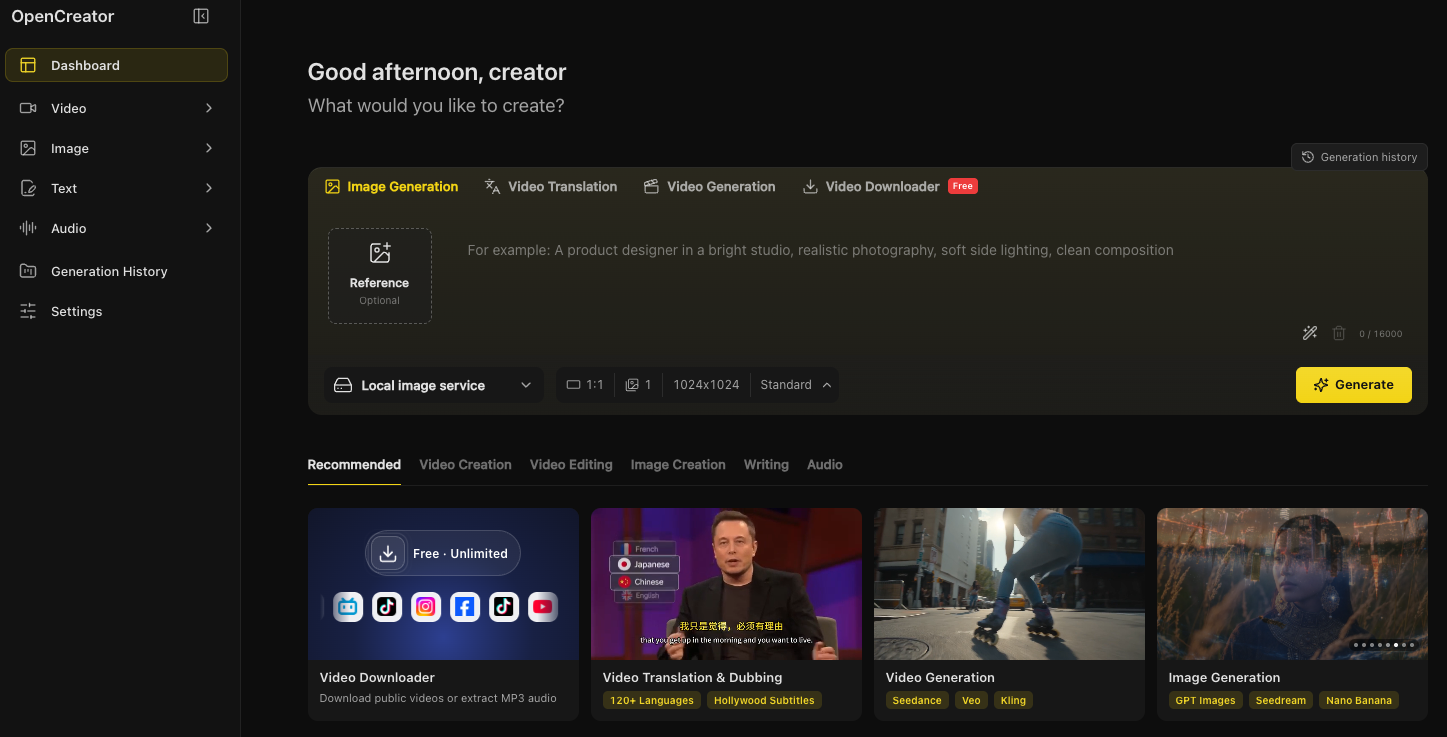
Create from a prompt or a reference
Use text to describe a subject, composition, lighting and intended use. For a cover, product scene or visual concept, include the details that matter to your project. Add reference images when the selected model supports image input.
Image dimensions, aspect ratios and other generation options depend on the model and service you choose.
How to generate an image
- Choose an image service. Use an available official model or configure your own supported image provider.
- Describe the result. Write a prompt and optionally add reference images supported by your model.
- Generate and review. Inspect the result, refine the prompt or references and generate another version as needed.
- Save your image. Download the result for your project or continue creating with it.
Choose a model for the task
Use the selected model’s available controls to match the format you need. A reference image helps communicate visual intent, but the result still depends on the model and prompt.
The desktop app is open source. Official model services use credits; your own provider may charge for generation. Online generation sends the prompt and required images to the selected service.
Frequently asked questions
Can I generate an image from text alone?
Yes. Start with a text prompt in Image Generation and select an available image model. Reference images are optional.
Can I use a reference image?
Yes, when the selected model supports reference images. Supported inputs and generation settings vary by model and service.
Does this page generate images in the browser?
Image generation runs through the OpenCreator desktop app and the configured model service. This page introduces the tool and links to downloads and setup instructions.